

Skip to content
View in the app

A better way to browse. Learn more.

APlusPhysics Community

A full-screen app on your home screen with push notifications, badges and more.

To install this app on iOS and iPadOS
  1. Tap the Share icon in Safari
  2. Scroll the menu and tap Add to Home Screen.
  3. Tap Add in the top-right corner.
To install this app on Android
  1. Tap the 3-dot menu (⋮) in the top-right corner of the browser.
  2. Tap Add to Home screen or Install app.
  3. Confirm by tapping Install.

The Physics of Roof Trusses II

(0 reviews)

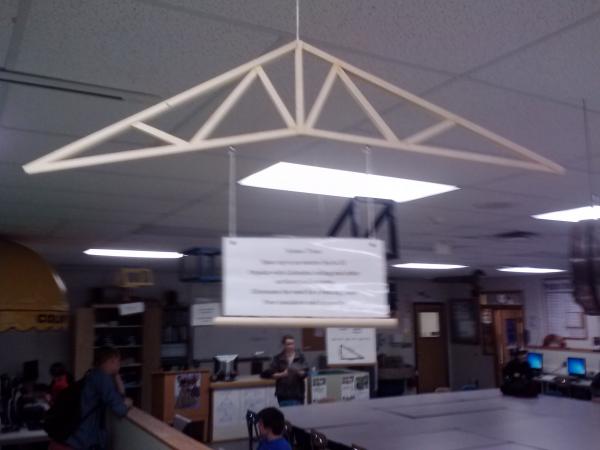
Ok, I think everyone knows that sequels are rarely as good as the original, but I think The Physics of Roof Trusses II is way better than the first, but that's mostly because I thought that this roof truss was way cooler. So the very last thing I did in my independent study was build a scissor roof truss. The reason why I like this one so much is because of the awesome shape, even if the angles were butts. Anyways, it usually spans up to 20 meters or 65.51 feet and is most commonly found in cathedral ceiling and other architectural projects. Seems like I'm not the only one who thinks it looks cool. What's nice about this truss is that it eliminates the need of a bearing beam (a support beam that goes horizontal), but it has poor insulation and is very expensive. Maybe that's why churches are always so cold....
blogentry-575-0-41298300-1370867296_thum

Hey look! there are people in the background!

PS sorry for the poor quality

4 Comments

Recommended Comments

lshads

Members

I am very impressed by your independent study! You have prepared yourself well for your intended major.

AlphaGeek

Members

Great job on the truss! Lol there are people in that pic... We should add a "tag your friends" feature to aplusphysics ;)

Leon Sandcastle

Members

could i perhaps have one in my home for....free?

Guest
Add a comment...

Account

Navigation

Search

Search

Configure browser push notifications

Chrome (Android)
  1. Tap the lock icon next to the address bar.
  2. Tap Permissions → Notifications.
  3. Adjust your preference.
Chrome (Desktop)
  1. Click the padlock icon in the address bar.
  2. Select Site settings.
  3. Find Notifications and adjust your preference.