


Skip to content
View in the app

A better way to browse. Learn more.

APlusPhysics Community

A full-screen app on your home screen with push notifications, badges and more.

To install this app on iOS and iPadOS
  1. Tap the Share icon in Safari
  2. Scroll the menu and tap Add to Home Screen.
  3. Tap Add in the top-right corner.
To install this app on Android
  1. Tap the 3-dot menu (⋮) in the top-right corner of the browser.
  2. Tap Add to Home screen or Install app.
  3. Confirm by tapping Install.

How Illusions work

(0 reviews)

Anyone who was in class would of heard the great debate about a certain picture that seemed to be rotating different ways. But how can two people see different things while looking at the same picture. Optical Illusions are usually 2-D things that are pretending to be 3-D and since we see life in 3-D so our brain takes the 2-D image we're seeing and makes it into 3-D the reason why people saw the girl spinning in both directions is because she is spinning both ways, only at different times. But when we look at the picture we see it spinning one way, but girl is facing sideways, she instantly flips and starts rotating the other way. This tricks our eyes because our brain wants to continue to see her spinning the same way and the way this image is set up, it's almost impossible to tell which what she is facing when she's facing out of the screen. This picture shows how our brain sees how she is turning. And Charlie was wrong
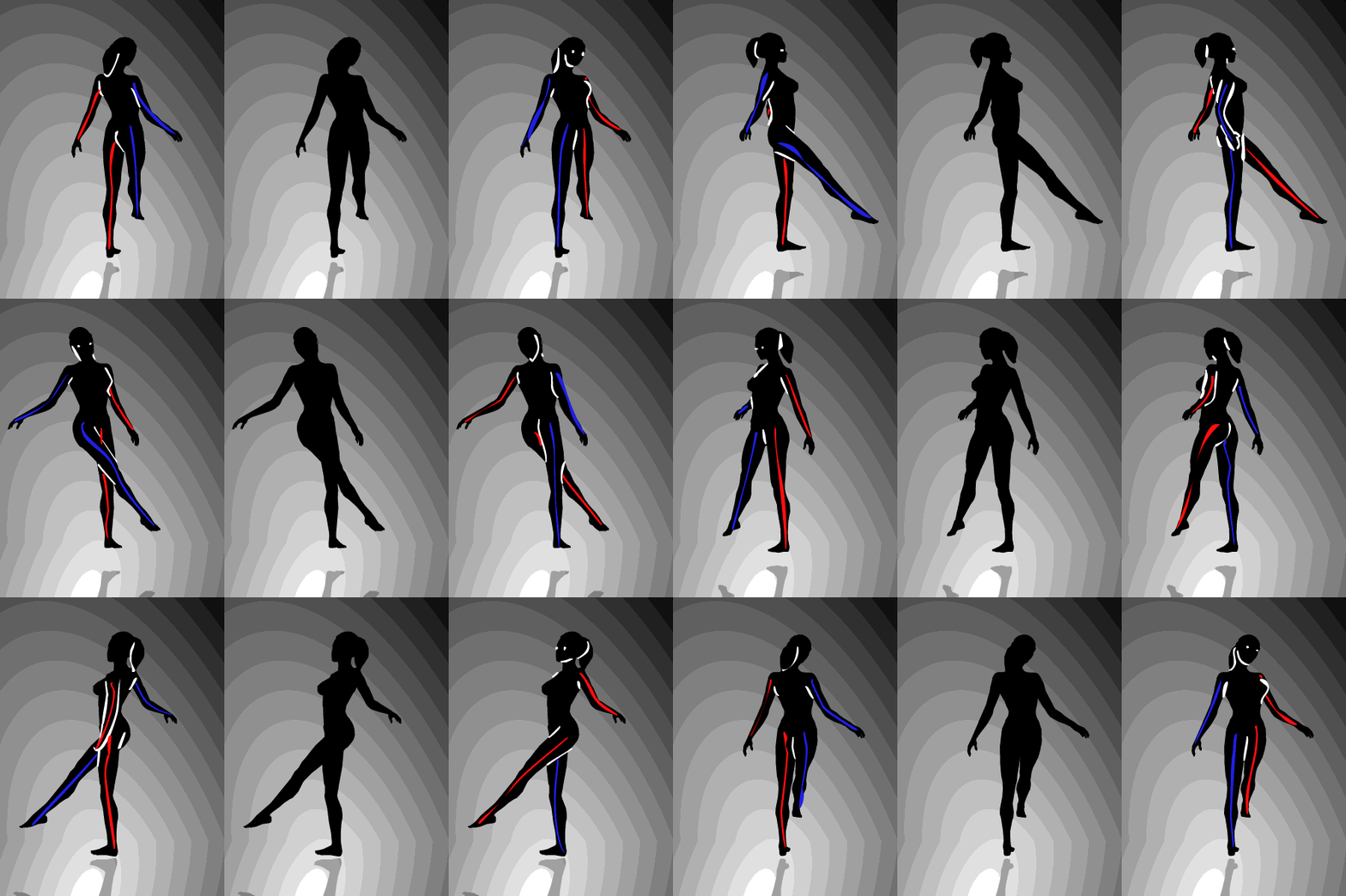
tech.gif

5 Comments

Recommended Comments

mathgeek15

Members

Hey, if you want to see the girl spin both ways look from the left to the right picture, watching each one for a few seconds.The girl will switch directions. It' really cool and weird.

goalkeeper0

Members

This whole concept makes me really mad...its cool but frustrating

CharlieEckert

Members

I seriously hate you for showing us this gif.

bdavis

Members

I had to yell at all of you to shut it while i was working! seriously not cool guys!

Guest
Add a comment...

Account

Navigation

Search

Search

Configure browser push notifications

Chrome (Android)
  1. Tap the lock icon next to the address bar.
  2. Tap Permissions → Notifications.
  3. Adjust your preference.
Chrome (Desktop)
  1. Click the padlock icon in the address bar.
  2. Select Site settings.
  3. Find Notifications and adjust your preference.