

Go With the Flow
Entry posted by ThePeculiarParticle
1,176 views
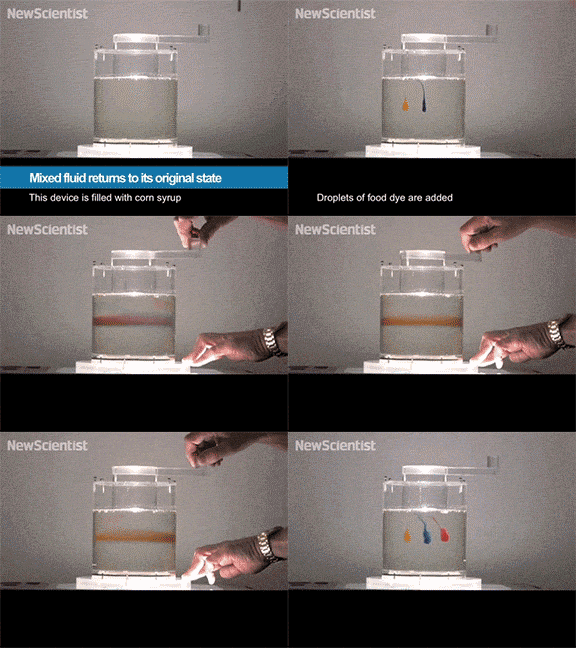
Ever add too much food coloring or dye to water and wish there was a way to separate it out?
“Yea it happens all the time TPP what about it?” I hear you say. Well I just wanted to show a phenomenon where the mixing of different fluids can be reversed, but it only occurs under certain circumstances.
Laminar flows only occur in situations depending on the viscosity or velocity of a fluid. When fluids mix slower, there is less chance of a turbulent flow where the creation of eddies. Eddies are what cause substances to mix in other planes than just lateral. This action is immensely harder to reverse due to the chaos of mixing turbulence brings. When Laminar flows occur, the two parts of the mixture only flow in the lateral plane, allowing the layers to slide past one another. The result is that this mixing can be easily reversed by reversing the motion which mixed it originally.
So, I’m afraid the dyed water will remain a cluster of colors, but, on the bright side, you now have a great party trick to show off and impress your friends.
Here is a helpful video on the subject:
As always thanks for reading! - ThePeculiarParticle
0 Comments
Recommended Comments
There are no comments to display.