
Electricity
Electricity and Circuits
8 files
-
Lab handout to accompany the APlusPhysics Coulomb's Law mini-lab simulation activity.
- Free
- 52 Downloads
Submitted -
An introductory electrostatics lab in which students utilize electroscopes, Vernier charge sensors, and the standard rubber and glass rods (with fur, wool, etc.) to explore electric charges and their basic properties.
Equipment:
Vernier Charge Sensor
Aluminum Foil
Clip Leads
Metal Can
Glass Jar
Amber rod
Glass rod
Fur cloth
Wool cloth
Electroscope
Scotch tape
Plastic straw
Others?
- Free
- 37 Downloads
Submitted -
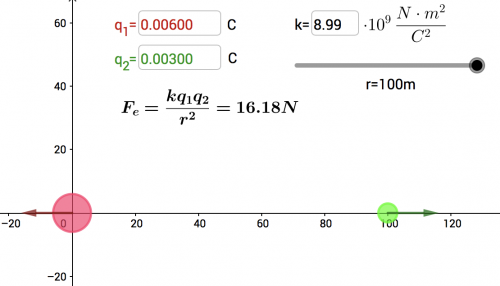
Students explore the relationship between charge and electric force, and observe the relationship between separation distance and electric force, using Interactive Physics.
- Free
- 38 Downloads
Submitted -
Brief worksheet to give students a bit of practice in manipulating and utilizing Coulomb's Law. Typically used as an in-class exercise to assist in math review (and easy to tie in to Universal Gravitation).
- Free
- 61 Downloads
Submitted -
For each problem, students are asked to begin by highlighting what information they are given, and what they are asked to find. Goal of the exercise is to have students begin to recognize start and end points of a problem, then search for pathways from the start to the end.
- Free
- 58 Downloads
Submitted -
Overview: Basic introduction to Ohm's Law lab in which students utilize a voltage source, an ammeter, and varying resistors to determine the resistance of each resistor. Calculated (empirical) resistance is then compared to the printed resistance, illustrating the variation in electrical components.
Materials:
Voltage source
Switch
Ammeter
5, 10, 20-ohm resistors
connecting wires
- Free
- 57 Downloads
Submitted -
Students will independently determine the resistivity of an unknown material (Play-Doh) using common electrical equipment available in the lab. Students have been introduced to Ohm’s Law and the Resistance of a Resistor formulas previously, and have had a very brief introduction to building electrical circuits from a schematic from the “Resistivity” Lab. Students have also used ammeters and voltmeters in the resistivity lab, though all the equipment is still quite unfamiliar.
The goal of this activity is to reinforce Ohm’s Law and the resistance equation in a practical sense, while guiding the students to develop their own experimental procedure and analysis in an inquiry-based format. The added challenge of students working with circuit schematics to design and build their own circuits will also provide them a head start into our next activities, focused on series and parallel circuit analysis.
Objectives: CIR.A2 I can utilize Ohm’s Law to solve for current, voltage, and resistance.
CIR.A3 I can calculate the resistance of a conductor
CIR.B3 I can use voltmeters and ammeters effectively
Materials: Play-Doh
Ammeter
Voltmeter
DC Power Supply
Connecting Wires
- Free
- 186 Downloads
Submitted -
Students are presented with a number of problems and solutions that have subtle mistakes. It is their job to find the mistake, fix it, and present their solution to the class.
Designed as a pre-exam review activity.
- Free
- 110 Downloads
Submitted