

Why have a curve in bowling?

Entry posted by mkumo_1
2,055 views

Yes I know bowling is kind of boring compared to some of my other posts but there is actually a lot of physics behind it. One of the main topics or concepts behind it is kinematics. Bowling like anything in motion involves kinematics and forces. If you break it down, bowling is all about velocity and direction of that velocity. Often in bowling once you throw the ball you are looking to get a curve. The following is the general path of the ball and where the best spot on the pins is to get a strike.
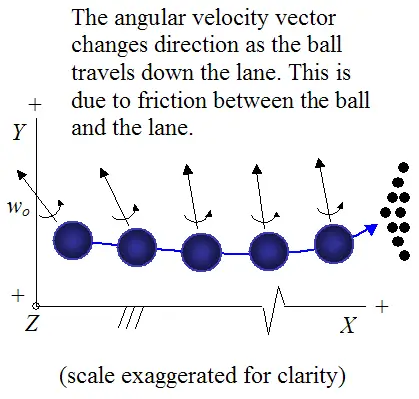
With this slight curve there are changes in velocity of the ball. Because velocity is a vector there is a direction. That direction changes as the ball curve changes. When the ball comes around the curve the velocity is at an angle going towards the gap between the head pin and the one just to the left or right of that depending on whether you are right or left handed. You want to get the curve because with this direction of velocity the ball will angle into the pins and will get you the end result you want. It is easier to get a strike that way then to just throw the ball straight.
0 Comments
Recommended Comments
There are no comments to display.