

Skip to content
View in the app

A better way to browse. Learn more.

APlusPhysics Community

A full-screen app on your home screen with push notifications, badges and more.

To install this app on iOS and iPadOS
  1. Tap the Share icon in Safari
  2. Scroll the menu and tap Add to Home Screen.
  3. Tap Add in the top-right corner.
To install this app on Android
  1. Tap the 3-dot menu (⋮) in the top-right corner of the browser.
  2. Tap Add to Home screen or Install app.
  3. Confirm by tapping Install.

Refracting vs Reflecting Telescopes

(0 reviews)


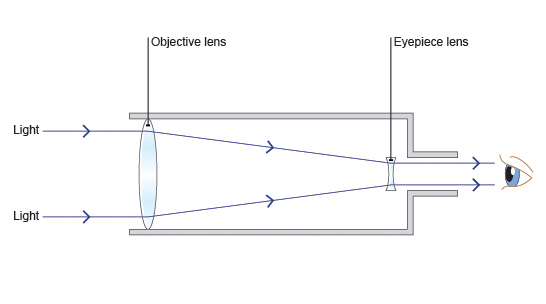
The first telescope to be invented was a refracting telescope. A refracting telescope works by using converging lens to collect light. A refracting telescope has a convex lens that bends the parallel light that is coming into it to a focal point. That focal point is where an image is formed of what is being observed. At that point is the eyepiece that you look through to see the focused image. This diagram shows the inside of a refracting telescope.
crQu24r7J1CSDYeLSlgDwIiSRL40YilFuncANoam8o_LPlcfP1c9tHY6F7wW29Yc8ACMpWG_vqJbc2A3a6ZalB4gr41DIKlW1xb61ERiJYmJE6LYft8e9csEoorrqNTrJZmbcmOO

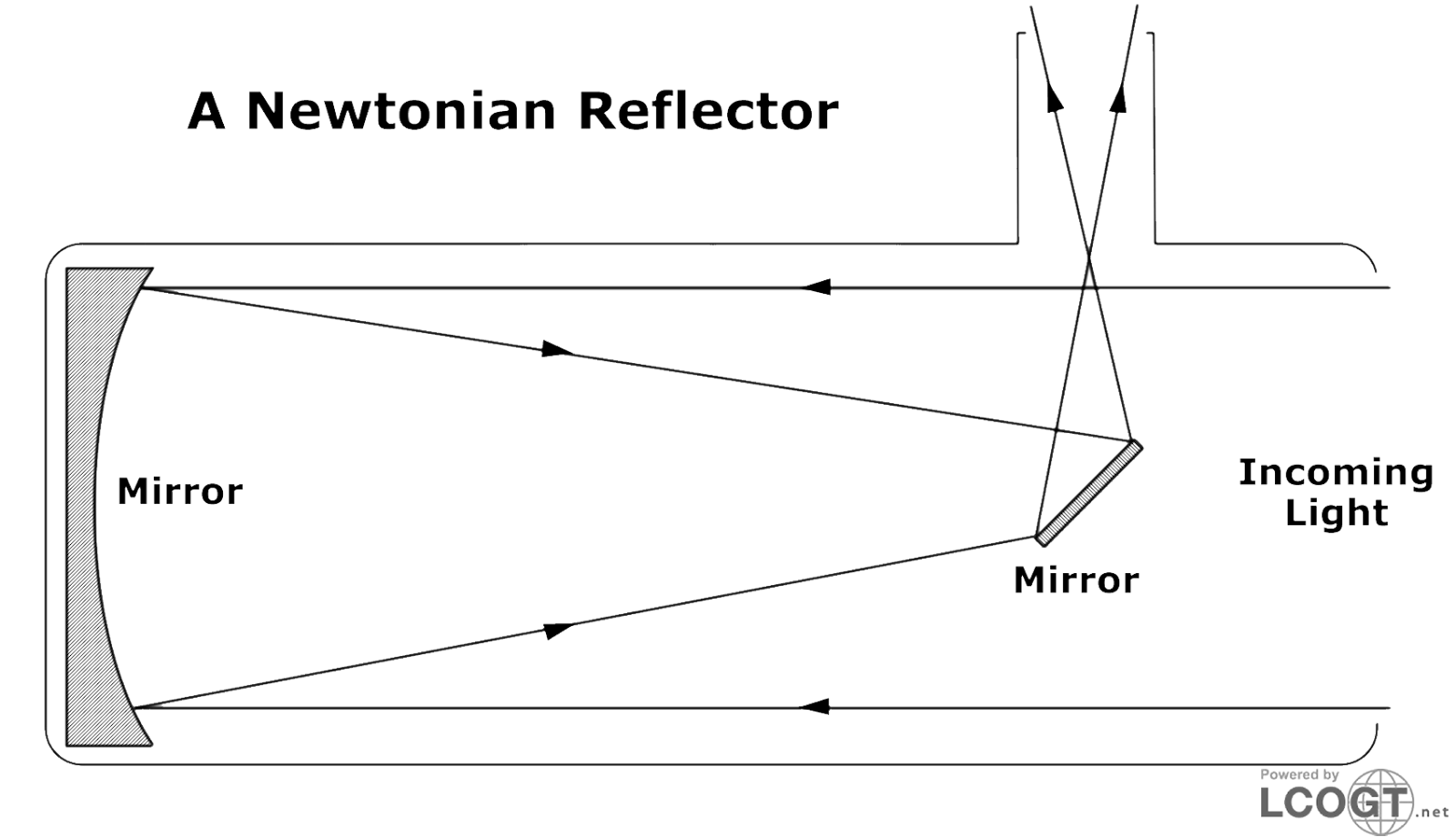
A reflecting telescope was invented after that refracting telescope by Isaac Newton. A reflecting telescope works by collecting light and reflecting it off of a concave mirror. The light that is reflected comes to a focus point where a flat angled mirror reflects that light up toward an eyepiece where the viewer sees the image. This diagram shows the inside a reflecting telescope. 
wLYyKH4KYPTczsQMYC8r3qYgWf-7dr5nZ9cbuIoDq2vQT49kaAtcTKPytAOPUKW4jNKcD1G40TF7eGRtAeNckkxgo2WdJDPb--Eaf7Kd619zeDlWzqrgQOuvXPg4ZFaEc073FpP5


0 Comments

Recommended Comments

There are no comments to display.

Guest
Add a comment...

Account

Navigation

Search

Search

Configure browser push notifications

Chrome (Android)
  1. Tap the lock icon next to the address bar.
  2. Tap Permissions → Notifications.
  3. Adjust your preference.
Chrome (Desktop)
  1. Click the padlock icon in the address bar.
  2. Select Site settings.
  3. Find Notifications and adjust your preference.