

Skip to content
View in the app

A better way to browse. Learn more.

APlusPhysics Community

A full-screen app on your home screen with push notifications, badges and more.

To install this app on iOS and iPadOS
  1. Tap the Share icon in Safari
  2. Scroll the menu and tap Add to Home Screen.
  3. Tap Add in the top-right corner.
To install this app on Android
  1. Tap the 3-dot menu (⋮) in the top-right corner of the browser.
  2. Tap Add to Home screen or Install app.
  3. Confirm by tapping Install.

Jason Padgett sees the world in Math equations!

(0 reviews)

Jason Padgett has Acquired Savant Syndrome. 10 years ago he was beaten and kicked in the head by some muggers after his jacket. While recovering in the hospital he became obsessed with mathematical equations. Apparently the damage to his head allows him to view everything he sees as a Math equation! Padgett turns these formulas into intricate diagrams called fractals. Prior to his accident Padgett was a college drop out and had never taken a college level math class before. An example of his work his below.

http://www.huffingtonpost.com/2012/04/30/college-dropout-jason-pad_n_1464835.html
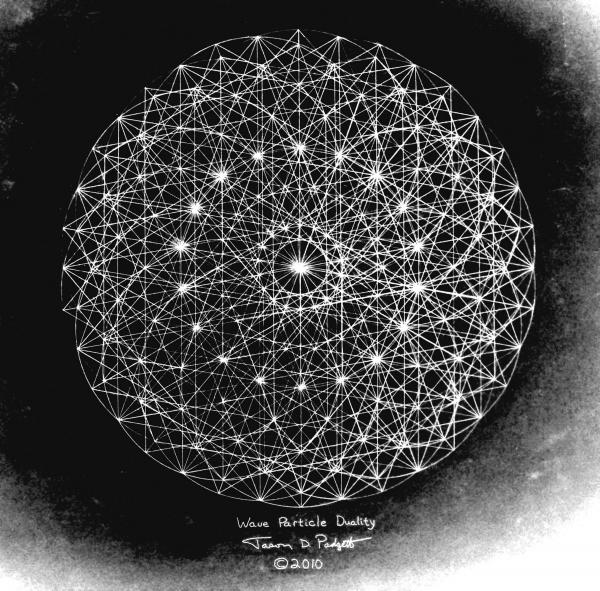
wave-particle-duality-ii-jason-padgett.jpg

More of his work can be viewed here

http://fineartamerica.com/profiles/jason-padgett.html

5 Comments

Recommended Comments

bdavis

Members

maybe he can read your handwriting :). But in all honesty this is really cool and that would be really helpful in understanding physics and calculus.

goalkeeper0

Members

This is the best superpower ever!

denverbroncos

Members

I fear anyone from our physics class may do horrible things to acquire this superpower heading into Electricity and Magnetism.

lshads

Members

I personally think imagining everything as an equation would be somewhat irritating at some points. I mean, who really wants to know the constant of making waffles?

Guest
Add a comment...

Account

Navigation

Search

Search

Configure browser push notifications

Chrome (Android)
  1. Tap the lock icon next to the address bar.
  2. Tap Permissions → Notifications.
  3. Adjust your preference.
Chrome (Desktop)
  1. Click the padlock icon in the address bar.
  2. Select Site settings.
  3. Find Notifications and adjust your preference.