General / Other
5 files
-
Free
ACTIVITY: Regents Physics Blogging Assignment for Q4
By FizziksGuy
Description and instructions for a 10-week end-of-year blogging assignment in which students are asked to create a blog on the APlusPhysics Community. One well-written blog is requested every two weeks. Start-up instructions and logging sheets are included.
Note: Google Login was not available on APlusPhysics at the time this assignment was created, and therefore logging in with your google account is not described.
18 downloads
Submitted
-
Cartoon Physics
A fun activity for end-of-year review. Have students watch old Looney Tunes cartoon and find examples of good and bad physics.
140 downloads
Submitted
-
Free
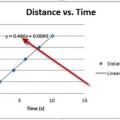
Tutorial: Creating Graphs in Excel
By FizziksGuy
A very brief and simplified tutorial to assist students in getting started with making graphs in Excel. The tutorial does include adding a linear trendline, but does not discuss the importance of understanding how these lines are created/fitted.
96 downloads
Submitted
-
Submitted
-
Free
GUESS Problem Solving Methodology Poster
By FizziksGuy
Room poster emphasizing the GUESS Problem Solving Methodology
128 downloads
Submitted