

Skip to content
View in the app

A better way to browse. Learn more.

APlusPhysics Community

A full-screen app on your home screen with push notifications, badges and more.

To install this app on iOS and iPadOS
  1. Tap the Share icon in Safari
  2. Scroll the menu and tap Add to Home Screen.
  3. Tap Add in the top-right corner.
To install this app on Android
  1. Tap the 3-dot menu (⋮) in the top-right corner of the browser.
  2. Tap Add to Home screen or Install app.
  3. Confirm by tapping Install.

Kerbal Space Program!
(0 reviews)

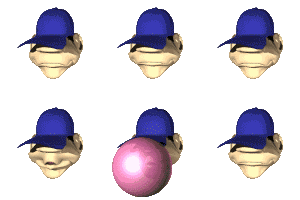
After we took the AP physics C test, we began to experiment with a computer game known as the Kerbal Space Program. In this game, creatures called Kerbals inhabit a planet named Kerbin (surprisingly similar to Earth) and we had to fulfill many missions related to space travel. I really enjoy the Kerbal space program because at the same time it is a fun experience and it incorporates a lot of physics topics such as the incorporation of gravity and air resistance. It also introduces Orbital movement and space flight. I really enjoy the Kerbal Space Program.

Also, I found the tutorials on YouTube very helpful in understanding how enact a lot of the maneuvers.

0 Comments

Recommended Comments

There are no comments to display.

Guest
Add a comment...

Account

Navigation

Search

Search

Configure browser push notifications

Chrome (Android)
  1. Tap the lock icon next to the address bar.
  2. Tap Permissions → Notifications.
  3. Adjust your preference.
Chrome (Desktop)
  1. Click the padlock icon in the address bar.
  2. Select Site settings.
  3. Find Notifications and adjust your preference.