

Skip to content
View in the app

A better way to browse. Learn more.

APlusPhysics Community

A full-screen app on your home screen with push notifications, badges and more.

To install this app on iOS and iPadOS
  1. Tap the Share icon in Safari
  2. Scroll the menu and tap Add to Home Screen.
  3. Tap Add in the top-right corner.
To install this app on Android
  1. Tap the 3-dot menu (⋮) in the top-right corner of the browser.
  2. Tap Add to Home screen or Install app.
  3. Confirm by tapping Install.

The Physics of Sleeping

(0 reviews)

I must have a thing for thinking about blog posts in the middle of the night. So last night I woke up at 3:00 am because of my sore throat, which makes it extremely painful to swallow, cough, yawn, etc. So, as I lied in bed unable to fall asleep, I thought about the mythbusters episode I watched about making someone wet the bed by sticking their hand in water. But what stuck out to me was that they used the frequency of the brain waves to determine how deeply asleep Adam and Jamie were.

blogentry-575-0-13380700-1367339669_thum

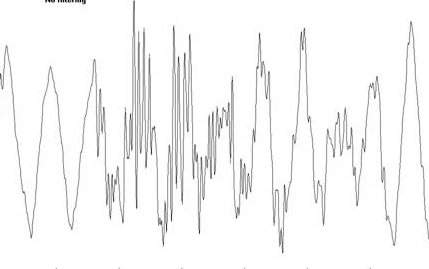
As you can see, the brain waves are much faster and active when awake, but when asleep the frequency slows down, making it easier to pull a classic camp prank on someone. Spoiler Alert: it doesn't work. Pretty cool how waves is applied to the real world huh? Unless you're me, then your brain waves look like this:
blogentry-575-0-90150900-1367339877_thum

4 Comments

Recommended Comments

Lochs

Members

It is cool to understand how the frequency is smaller and the wavelength is longer in brain waves when you're asleep then when you're awake. It makes a lot of sense now that I think about it!

R_EIKE

Members

So even when you are deeply asleep you will not wet the bed with your hand in a bowl of water? That is nice to hear!

PepperJack

Members

I wonder what the brain frequency is when you are having a nightmare... or sleep walking.. or sleep-eating.

Guest
Add a comment...

Account

Navigation

Search

Search

Configure browser push notifications

Chrome (Android)
  1. Tap the lock icon next to the address bar.
  2. Tap Permissions → Notifications.
  3. Adjust your preference.
Chrome (Desktop)
  1. Click the padlock icon in the address bar.
  2. Select Site settings.
  3. Find Notifications and adjust your preference.